Organisation Portal
When looking at Twinmotion and Unreal Engine, the distinction between the Organization Portal and the Developer Portal becomes very clear. Since the release of Unreal Engine 5.4, Epic Games has used a seat-based (seat/license-based) model for companies with an annual revenue of over $1 million.
The management of these licenses and the eventual software deployment is divided as follows:
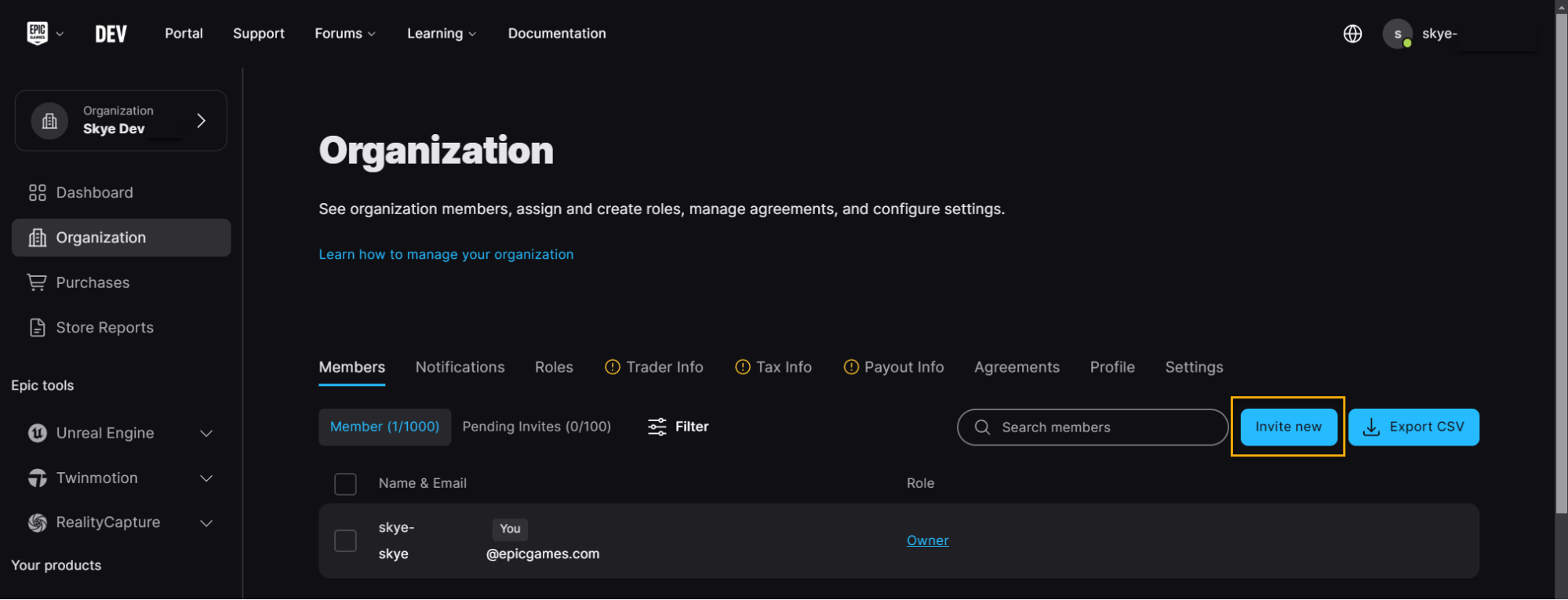
1. In the Organization Portal (Licenses & Team Purchasing)
This is where the purchasing, payment, and distribution of your Twinmotion and Unreal Engine licenses take place. You handle the business side of things here:
Purchasing & Assigning Seats: Do you run a company with multiple architects, 3D artists, or developers? You buy the "seats" in the Org Portal. Afterward, you assign those seats to the specific Epic accounts of your employees.
Offline Installers: Large studios or enterprise companies that, for security reasons, prefer their employees not to use the standard Epic Games Launcher, can download so-called Offline Installers for Unreal Engine and Twinmotion via the Org Portal (this is exclusive to Admins/Owners).
Console Access: Are you developing a game in Unreal Engine for PlayStation 5, Xbox Series X, or Nintendo Switch? Formal approval and access to the restricted SDK files for these consoles are managed through the Org Portal once Sony or Microsoft gives the green light.
2. In the Developer Portal (Products & Publishing)
Once your employees have received their license (seat) via the Org Portal, they can get started on the technical side. The Dev Portal is where the output from Twinmotion and Unreal Engine is managed and prepared for the world:
Twinmotion Cloud: If you push presentations or panoramas from Twinmotion to the cloud to share with clients, you manage the technical backend and permissions of that cloud environment via the Developer Portal (linked to your organization).
Unreal Engine Royalties: Are you making a game with Unreal Engine that you intend to sell commercially (and you are not using the fixed seat-based model)? You are required to pay a 5% royalty once your game generates more than $1 million. Submitting these Royalty Reports and filling out the Release Form is done entirely within the Developer Portal.
- Note: If you want to use Unreal Engine, it is completely free unless you operate as a company with a revenue exceeding $1 million. Otherwise, no seat is required.
Was this article helpful?
That’s Great!
Thank you for your feedback
Sorry! We couldn't be helpful
Thank you for your feedback
Feedback sent
We appreciate your effort and will try to fix the article