Assigning and removing a license to a member can only be done by the administrators.
To do that:
1. Go to https://dev.epicgames.com/portal/ and log in with your Epic Games ID
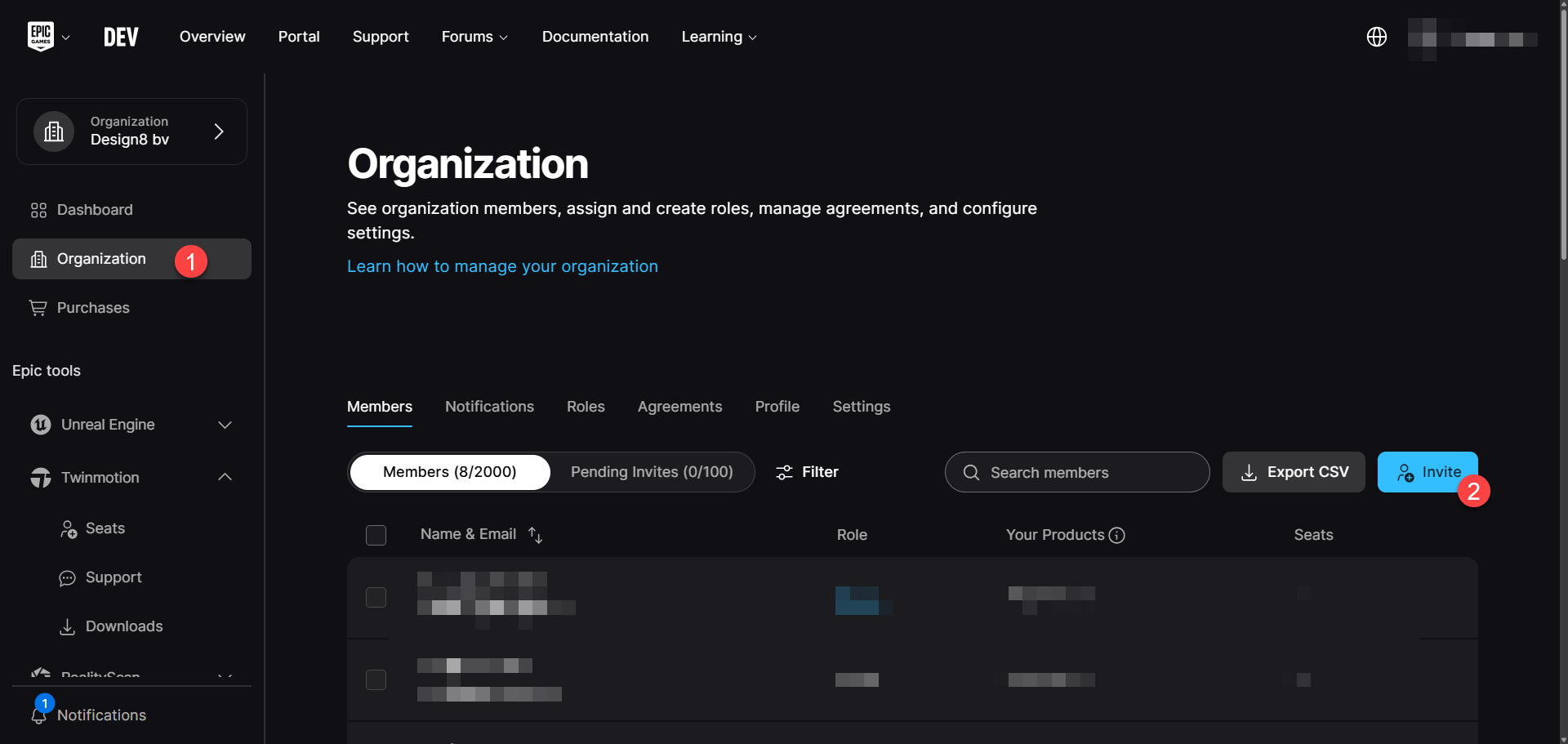
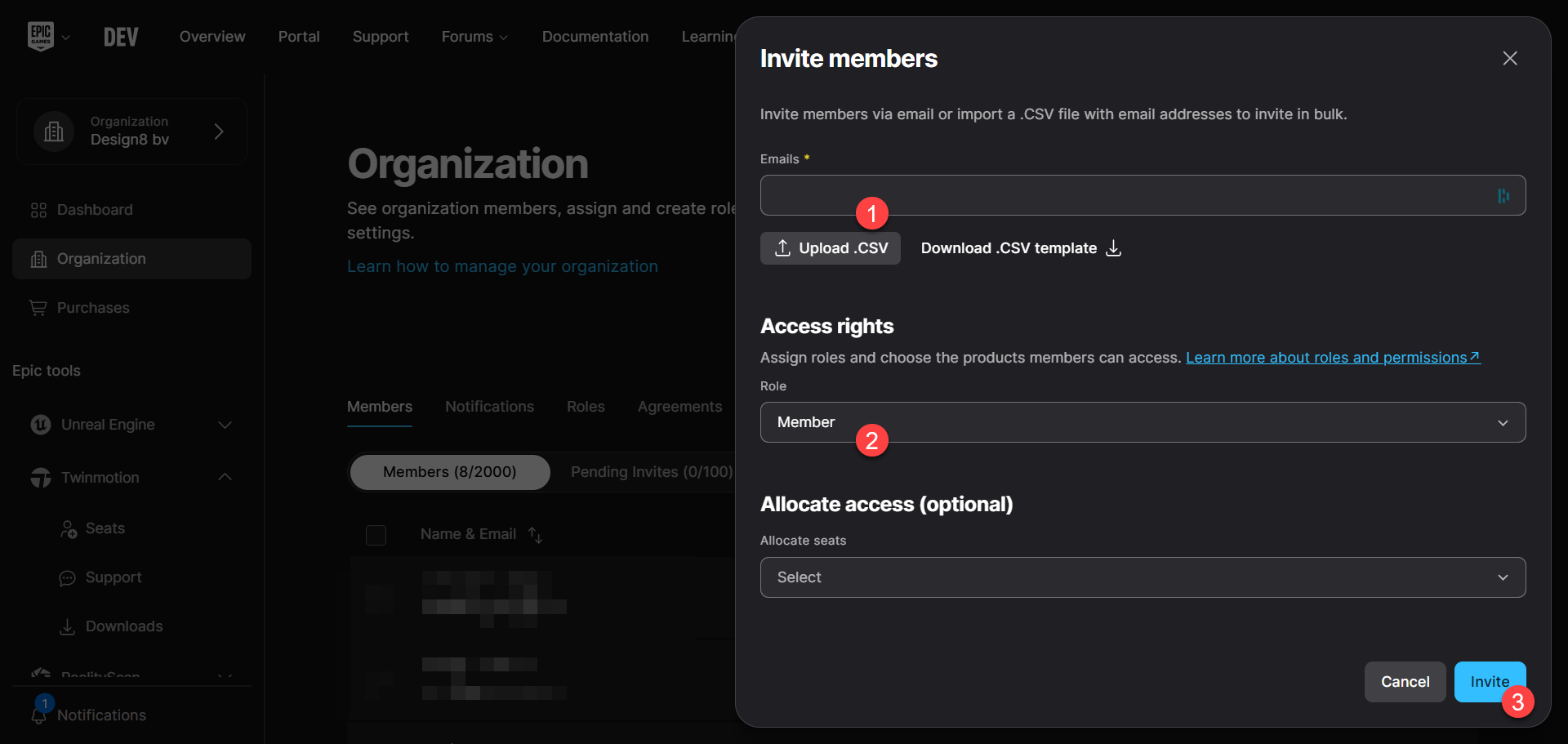
2. To add all your users, go to the Organization tab and click Invite. Enter the user's email address, set their role as Member, and click Invite.
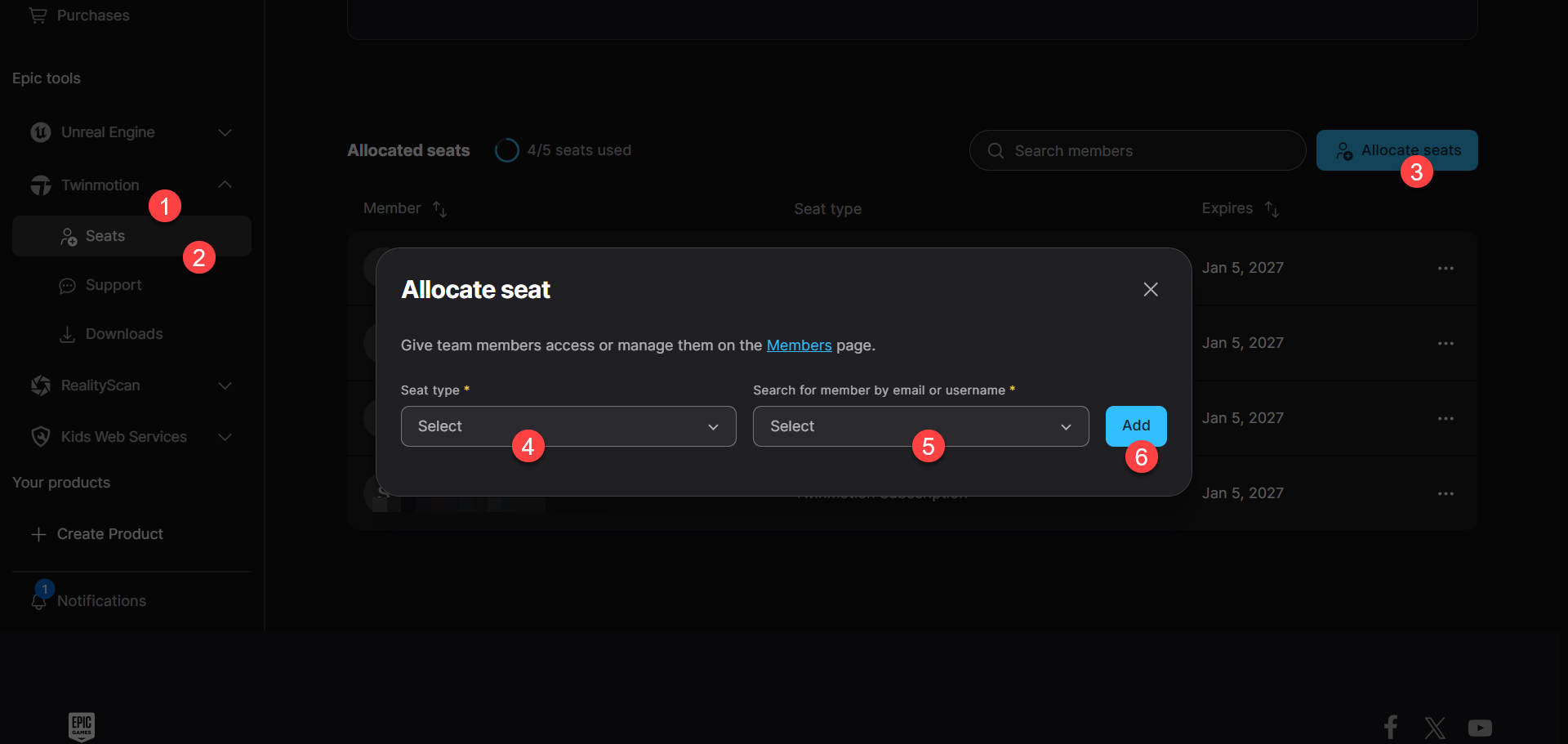
3. Once you have invited all your members, you can go to the Seats tab under Twinmotion, click on “Allocate seats”, choose a Seat Type, search for the member you want to assign the license to and finally click on Add.
4. To remove a member's license and assign it to another, go back to "Seats" under the "Twinmotion" tab, click the three dots next to the member, and click "Remove seat."
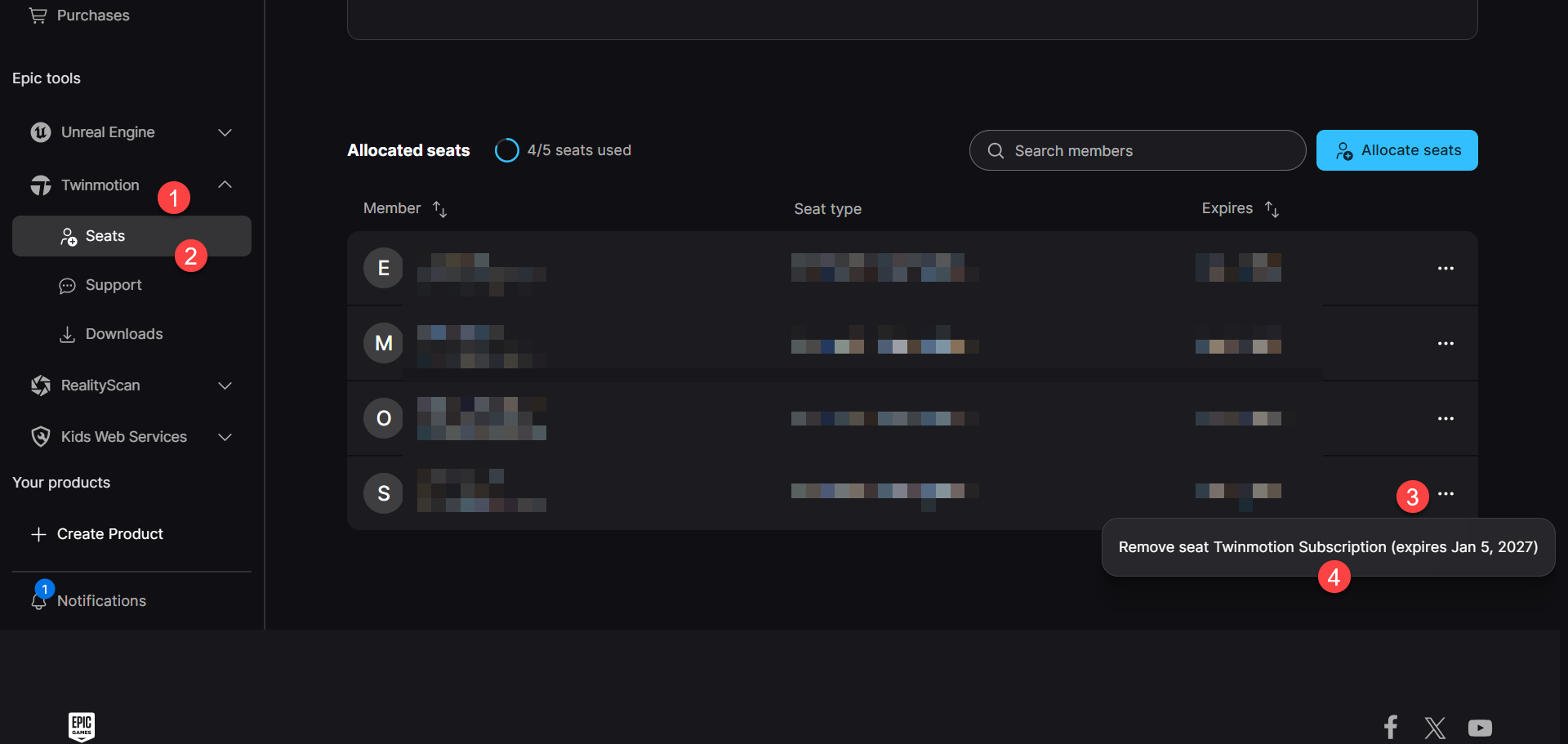
After this step, you can assign the seat to another user as explained in step 3.
Was this article helpful?
That’s Great!
Thank you for your feedback
Sorry! We couldn't be helpful
Thank you for your feedback
Feedback sent
We appreciate your effort and will try to fix the article