Step 1: Initiate the administrator change (current administrator)
- Log in op http://my.chaos.com
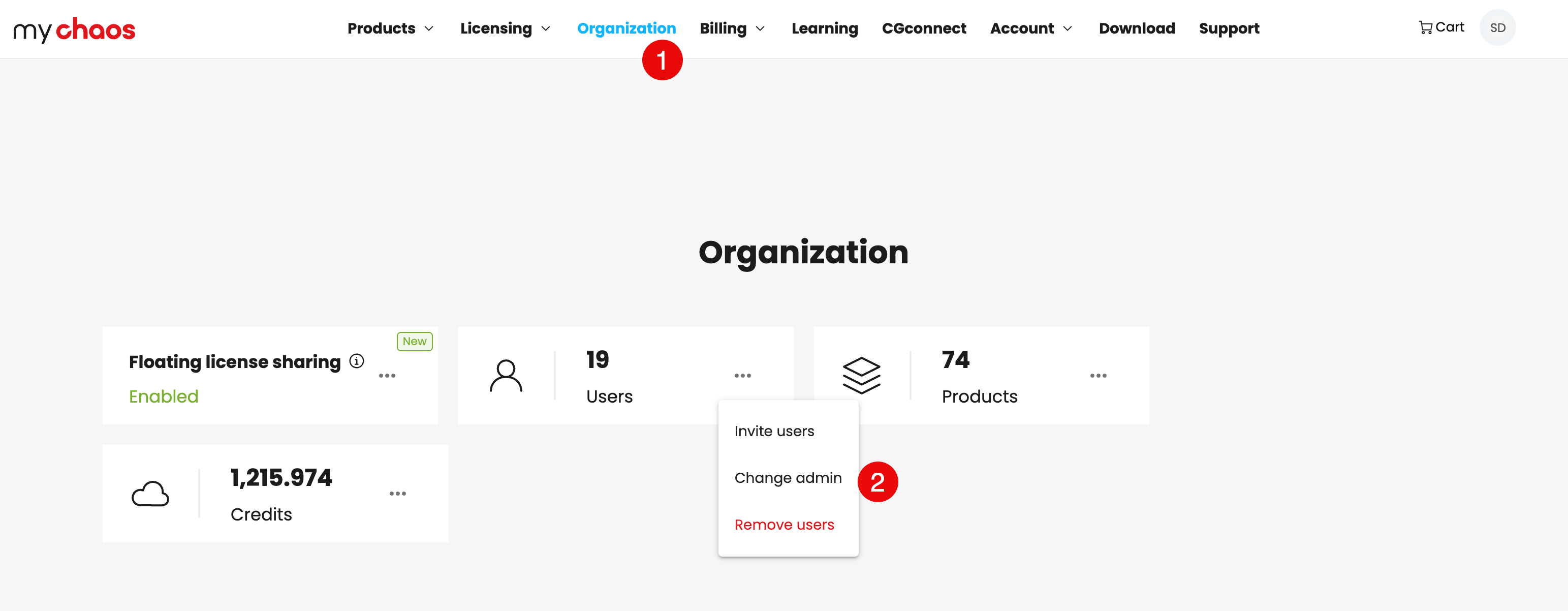
- Go to the Organization tab.
- In the Users section, click the three-dot menu (...) next to your name and select Change Administrator.
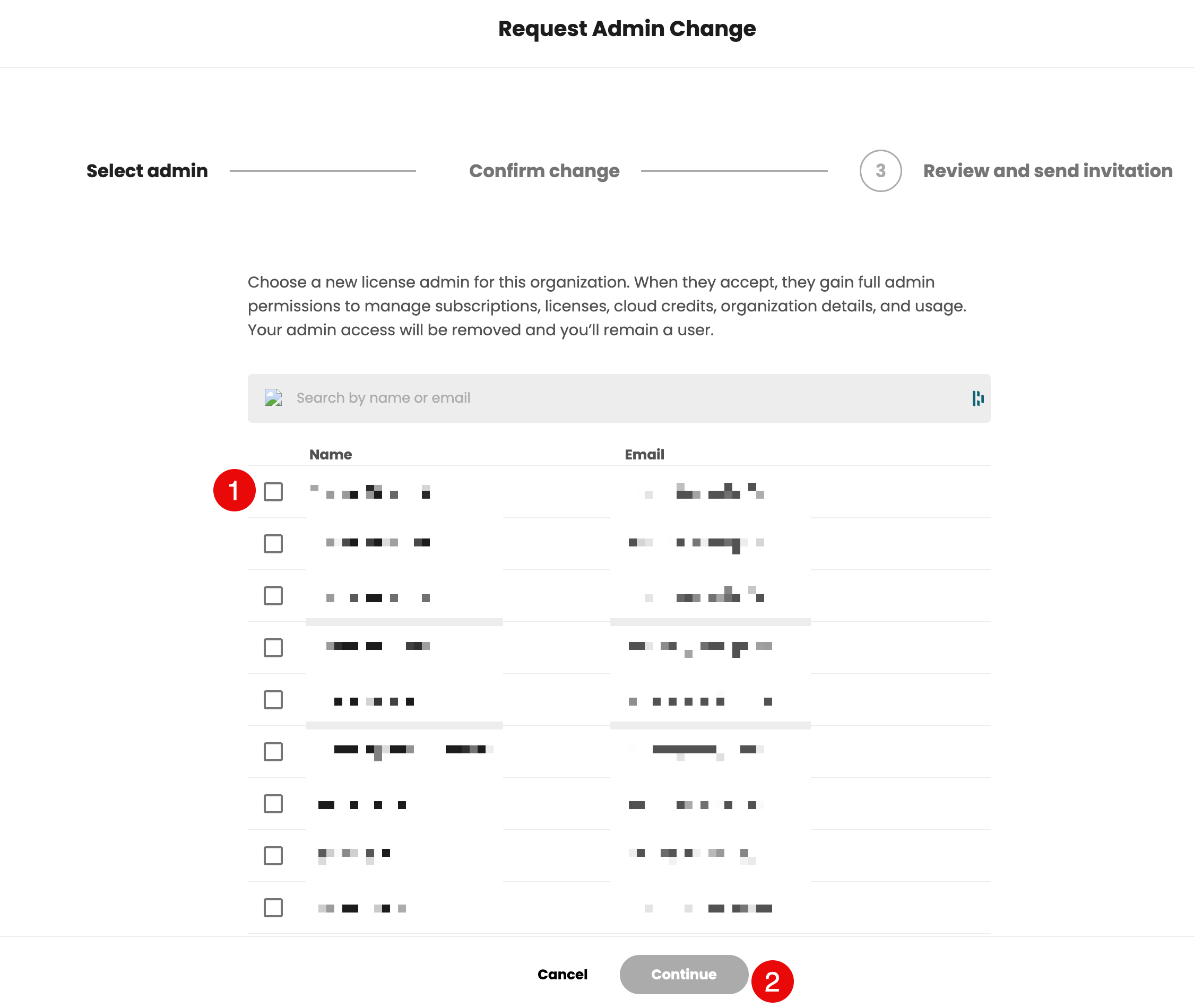
- In the Change Administrator wizard, locate and select the user for whom you want to make this change.
- Re-enter the new administrator's email address to confirm and click Continue.
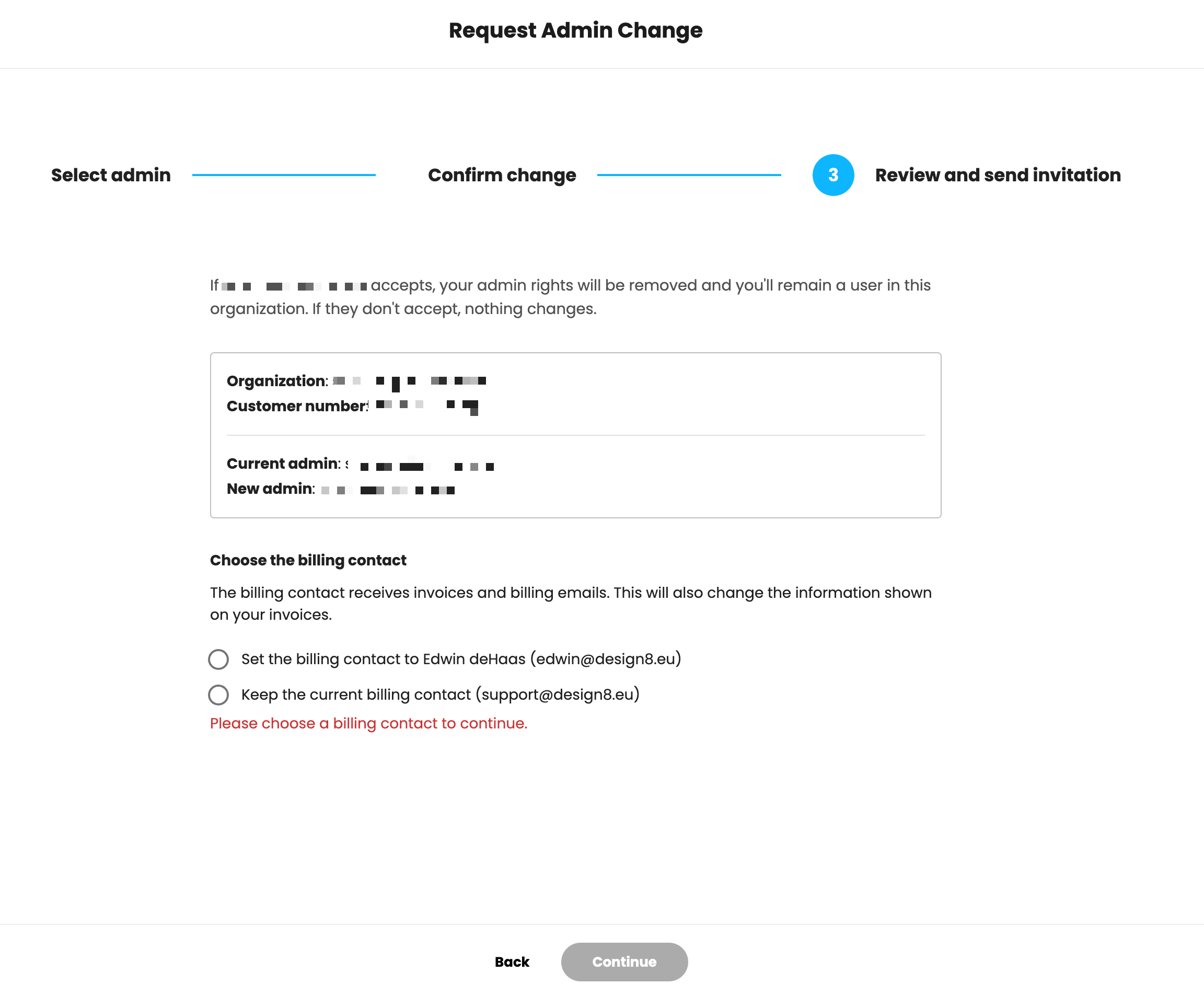
- Choose who will receive the invoices after the transfer:
- Assign future invoices to the new administrator, or
- Keep the current billing contact person
Click Send Invitation. A confirmation will appear, and your administrative privileges will be retained until the new administrator accepts the invitation.
Step 2: Accept the administrator's change (new administrator)
The designated new administrator must accept the role for the change to take effect.
- The new administrator will receive an email with the subject line “You have been invited to become a license administrator...”
- They should click View and Reply in the email.
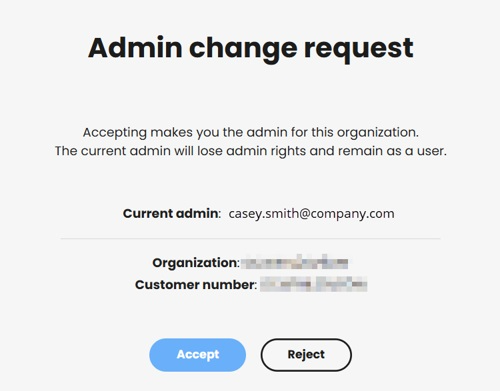
- On the Change Administrator page, confirm the organization name and click Accept.
- Once this is completed, you will see the success message “Admin role confirmed”.
Result of the transfer
After acceptance:
- The new administrator can manage licenses, subscriptions and users.
- The previous administrator becomes a standard user, but retains access to the product unless changed by the new administrator.
Was this article helpful?
That’s Great!
Thank you for your feedback
Sorry! We couldn't be helpful
Thank you for your feedback
Feedback sent
We appreciate your effort and will try to fix the article